Hyderabad Map – Finding The Best One!

Tuesday, November 10, 2009
By TR

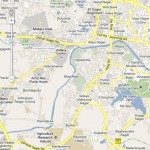
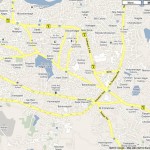
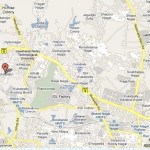
Map of Hyderabad for every need – Hyderabad overview map plus detailed maps of Central Hyderabad, Secunderabad, Hyderabad Old City, Cyberabad plus many suburb maps – Kukatpally, Dilsukhnagar etc

Hyderabad Map (Overview)

Hyderabad Map – Overview of the Urban Area

Hyderabad city is one of the fastest growing city in the world. The city is undergoing constant changes and new areas, buildings, roads are getting developed as population is increasing. A recent map giving updated information is needed by both long term residents and those new to Hyderabad.

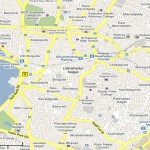
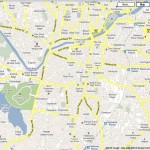
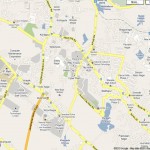
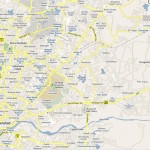
For your convenience below are the commonly sought after maps of  Hyderabad – Central Hyderabad, Secunderabad central map. Plus, old city map and Cyberabad map.

Central Hyderabad Map


Secunderabad Central Map


Hyderabad-Old City Map


Cyberabad Map

Hyderabad Sub-Urban Areas – Overview Maps

Kukatpally – Suburb Map


Hyderabad city maps are not only useful for the tourists; but they are also useful for students, and for every person who wants to get some information about Hyderabad city. There are several options for you to use Hyderabad maps. You can use printed maps from private publishers, atlases and some books. You can also get Hyderabad maps in tourist guides. Survey of India also provides several types of maps.

If you are a regular web user, you can find several online map websites that offer good Hyderabad maps.

Why use an online Hyderabad city map?
The online maps have changed our perception of looking towards maps. By integrating latest technologies, online maps have provided dynamic features that have made locating anything anywhere much easy. The online maps are proving to be much beneficial than traditional maps.

  • Unlike traditional printed maps, even the most recent changes are updated in online maps. However, traditional maps could be having outdated information. Traditional maps are static maps and it takes a lot of time to update and insert information. Plus, many new roads may be missing. The city has also expanded rapidly, old maps do not cover the outskirts in sufficient detail. The online maps are continuously updated.
  • Allows you to view maps at required level of detail through features like zoom in/out and different views.
  • Online maps are more interactive while printed maps are static and only give detail up to a specific level. Various interactive features make it easy to understand information and easily follow road directions.
  • Online maps are easy to distribute. One can easily email the map of the location which is convenient and saves a lot of time.
  • Online maps allow you to switch views to see the maps in different formats. An online Hyderabad map includes photographs, terrain, satellite view which is not available in traditional map.
  • Identified landmarks make it easy to follow the route in online maps and reach to destination. The online maps also provide route to the destination by computing the shorted route possible.

Google maps is one of the best way to get a Hyderabad maps of the location of your interest to the level of detail you would like. This is a benefit that is not offered by any paper map. Plus, you could always print out the map (if you would like!)

Steps by Step instructions on using Google to view Hyderabad City Maps:

  1. First go to http://maps.google.com OR go to www.google.com and click on the “maps” tab.
  2. Just put in the name of area in Hyderabad you want to look for in search field and click search. For example type in “Ameerpet Hyderabad”
  3. A detailed Hyderabad map will be displaced in right panel window. In left panel, you will see varied information about prominent places and their photos.
  4. Sometimes, other users have created custom maps (called user created maps) that may be helpful too – since they mark and highlight some landmarks or areas.

Using Google maps Toolbars / Controls to get better Hyderabad Maps:
There are various options which help you to customize the map to your needs.

  1. Zoom in / Zoom out: A vertical bar on left side of map window allows you to zoom in or zoom out. You can also manually operate the slider to zoom in or zoom out. The “mouse scroll” control will also zoom in and zoom out of the map.
  2. Navigation controls: Navigation controls inside a circle on top left corner helps you to navigate through Hyderabad city maps.
    • Pointers: You can pan to right, left, up, and down by clicking on direction “pointers” on navigation controls.
    • Hand symbol: When you point on the map anywhere except where there are other controls, you will see the “hand” symbol. Left click on any place and you can move left, right, top or bottom this allows you to adjust the areas that are included in the map.
  3. Scale: There is a scale provided on the bottom left side. The distances can be figured out by the scale which is provided in both kilometers and miles. This is very useful for estimating the distances between areas on the Hyderabad map.
  4. Map, Satellite, and Terrain views: There are 3 major views in the maps. The “map” is a conceptual diagram of Hyderabad drawn to a scale. The satellite view is an aerial view of Hyderabad from a satellite from up in the sky. This can be very useful to identify actual landmarks and buildings in Hyderabad. Finally, “terrain” view allows seeing the altitude of the various areas. This is more helpful in non-urban areas rather than in the city areas.
  5. Print: On the top of the map, there is a “print” button that allows you to take the print out of the Hyderabad maps. Clicking on the “print” opens the map in a new window with the map maximized on the new screen. This allows you to print the Hyderabad map properly while eliminating some the other side bars that come up in the regular browser window.
  6. Send: Allows you to send this custom map to your email or to someone you know. All you need is their email ID and you can send the exact same Hyderabad maps view to them!

Other additional features:

  1. Provides step-by-step directions between two locations. Also provides the distance (Kms/Miles) and approximate time to reach the destination by car or public transport. But in public transport it is guiding only through MMTS services. Other public transports like busses are not mentioned.
  2. Provides some useful information through Wikipedia on some important places like Charminar, Hitech city, Golconda etc. by clicking ‘Wikipedia’ in ‘More’ option.
  3. Provides real estate information like sale/rent of flats in apartments in the Hyderabad city through major real estate websites.
  4. You can view the local photos of some of the important places like Charminar, statue of Buddha, Gandhi hospital etc. by clicking ‘Photos’ in ‘More’ option.
  5. You can also watch some of the videos related to the specific area by clicking on ‘Videos’ in ‘More’ option.
  6. You can also put your business on the Google maps, so that others who are looking for your address can easily find it and know your operational timings and other information. Customers can also find your business in local business results.
  7. You can create personalized maps by marking your favorite places, adding photos, videos and other information you know and share with others.
  8. You can add or give a title or add text in the map. You can make your map public or unlisted.
  9. You can also add Google maps on your website. It helps your customers locate your businesses or to help your friends find your home through your blog.
  10. You can search local businesses, locations, content created by others, related maps and other websites which use maps.
  11. You can also search for any specific location or business, by searching nearby area or landmark.

Tags:

One Response to “Hyderabad Map – Finding The Best One!”

  1. Kumar

    Helpful. Keep it up!

    #142

Leave a Reply

Search

HUMOUR

A little humour in life is like a first spell of showers on parched earth. Take a break from work to find some rib tickling information in this section. Click here...